Introducing the Daevanion Route Simulator
Enter your remaining shared points and choose your stat and skill targets to plan a route across all five shared Daevanion boards in one calculation.
Open the Daevanion Simulator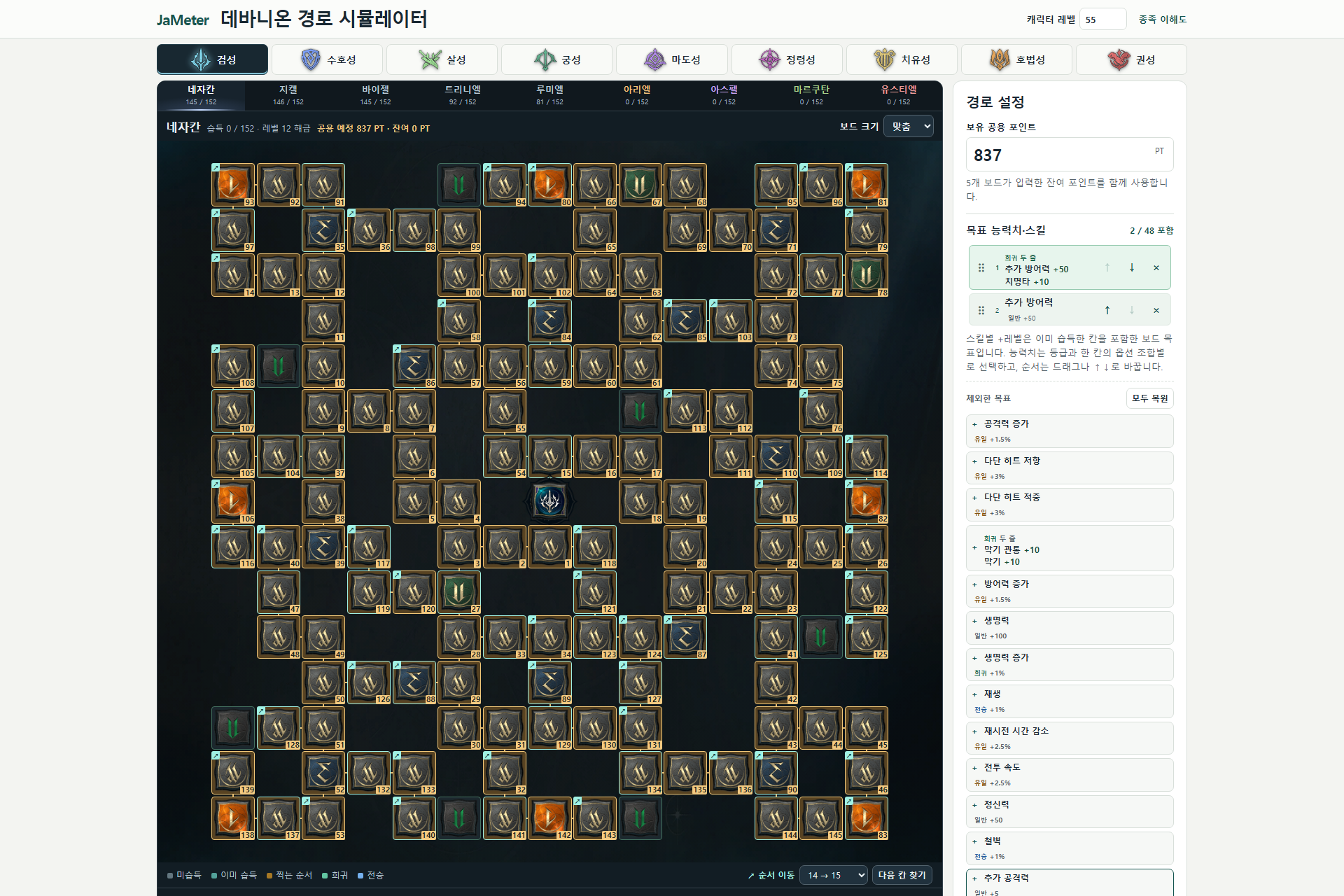
How to use it
- Select your class and level, mark the tiles you have already unlocked, and enter your remaining shared points.
- Choose your stat and skill targets, then drag them or use the arrow buttons to set priorities. Single-effect Common tiles and dual-effect Rare tiles are separate goals. You can also set target skill levels.
- Calculate the shared boards together, then follow the numbered tiles on each board.
Reading the results
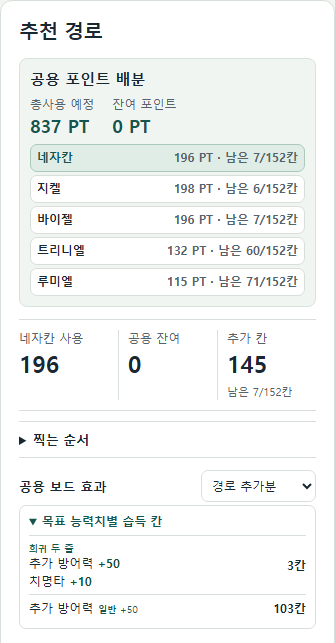
The results show points spent per board, shared points remaining, and the number of tiles unlocked for each target. Enable the remaining-points option to allocate leftover points after the planner handles your targets.